Omega WiFi Amp Reviews and Complaints: Pros, Cons & Verdict
The Omega WiFi Amp takes the wireless signal from your existing router, intensifies it, and powerfully re-distributes the signal, allowing it to easily reach far corners and devices that would otherwise be blocked. Its robust security features (WPA/WPA2) also differentiate it from less secure boosters.



 Fact checked by George Masters
 In this Omega WiFi Amp review, we found the device is best for everyday users who want to extend their wireless signal to dead zones with a simple setup taking under 10 minutes. It is less ideal for households with high-speed fiber plans due to its single-band limit, but remains a practical $49.99 solution for restoring basic web coverage to out-of-reach rooms.
What it is
A Simple Solution for Internet Dead Spots
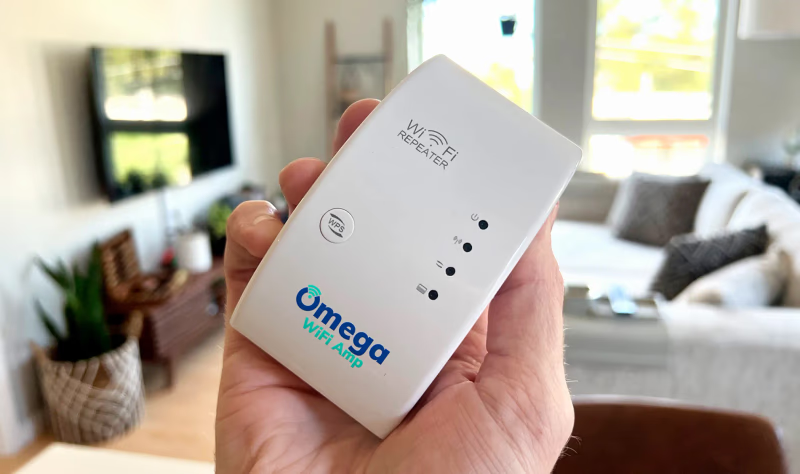
Many people struggle with annoying internet dead zones that freeze movies and drop work calls. The Omega WiFi amplifier is a small, easy-to-use plug-in device designed to push your existing router's signal into these hidden areas. You do not have to replace your current network setup to make it work. Instead, this compact adapter plugs directly into a normal wall outlet. It acts as a helpful middleman. It catches the wireless signal from your main router and sends out a fresh, boosted network to stop the buffering.
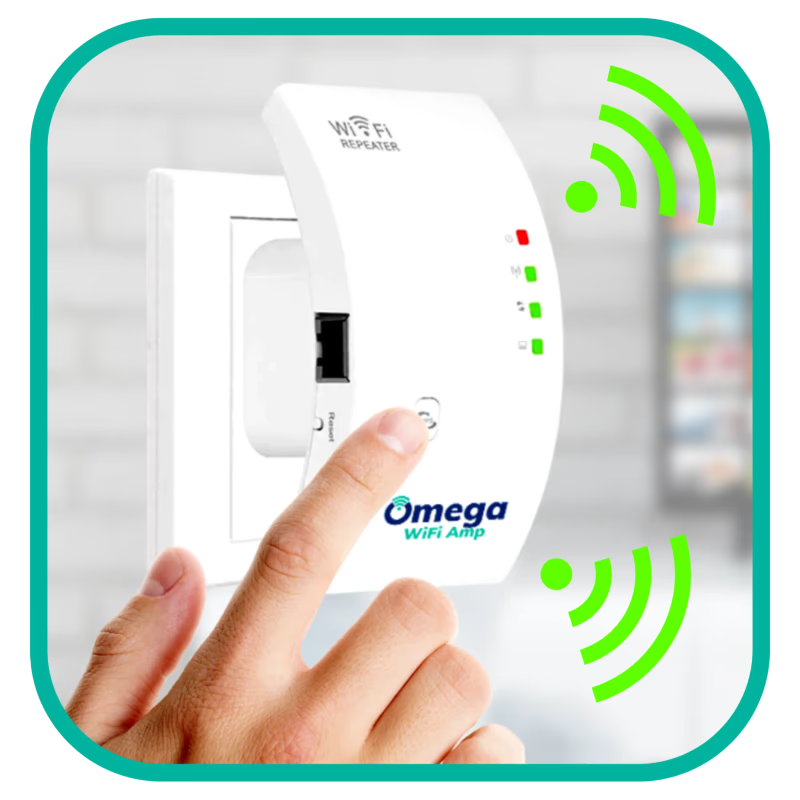
The Omega WiFi amp setup is made for people with no tech skills. You can connect the hardware to your home network fast by pressing the built-in WPS button on both the repeater and your router. If your router lacks a WPS button, a simple web browser login gives you an easy manual way to get online. The system uses a specific frequency that is great at reaching through physical barriers. We will cover how well it moves past thick walls in our testing section below.
When looking at the numbers, the maker says the unit can move data at speeds up to 300 Mbps. It is built to keep busy families online, supporting up to 12 devices at the exact same time. This capacity easily handles a standard mix of cell phones, laptops, and smart home tools without dropping the link. It also gives you both Access Point (AP) and wireless repeater options so you can set it up the way that fits your house best.
The shape of the unit makes it easy to fit into your home. Its small design means that plugging it into a standard wall plate will not cover up the second electrical plug. Being able to move it around is another big plus. You can easily unplug the device and move it to different rooms as you need better coverage, as long as you place it halfway between the main router and the dead zone.
The company also thinks about keeping your personal network safe. The device supports modern WPA and WPA2 security types to keep unwanted guests off your extended connection. People checking to see if this hardware fits their house are covered by a 30-day money-back guarantee from the day it arrives. In the end, this repeater gives everyday users a clear, budget-friendly way to get reliable web access into tricky rooms like basements or backyards.
Key features
- Uses the 2.4 GHz frequency band to reach through physical walls and floors
- Compact plug-in design leaves your second wall socket open for other items
- Built-in WPS button allows for fast network pairing without complex software
- Supports WPA and WPA2 wireless security to keep your personal network data safe
- Includes both Access Point and wireless repeater modes for different home setups
- Small size lets you move the unit to different rooms when coverage needs change
- Handles multiple connected smartphones and laptops at the exact same time
Editor’s Review
What it is, key features, and what you get.
Imagine trying to watch a movie in your basement or take a video call on the patio, only to look at a frozen screen and endless buffering. Figuring out whether this compact, plug-in adapter fixes that exact issue is the main goal of our Omega WiFi Amp review.
Bridging the Basement Dead Zone
This simple adapter connects right to any normal wall plate. It catches your existing router's signal and pushes it into hard-to-reach areas. The main tradeoff here is top speed versus wall penetration. Its core frequency is amazing at punching through thick walls and multi-level floors. However, it will not match the super-fast speeds of higher-frequency dual-band models. We noticed it handles normal HD video with ease, but it might struggle with super heavy tasks like huge file downloads.
Performance Fit & Household Viability
Choosing this hardware depends heavily on your daily web habits and your current home network.
- Best for: Everyday people dealing with specific dead spots who want a quick WPS-button setup for basic web browsing.
- Skip if: You pay for a super-fast Gigabit fiber connection and need top-tier dual-band support for heavy gaming.
Comparing Network Extenders
If you need dual-band power or want to check other choices, these popular extenders are great alternatives to look at.
| Product | Best for | Note |
|---|---|---|
| Omega WiFi Amp | Fast, simple dead-zone fixing | Compact design supporting up to 12 devices |
| TP-Link N300 | Budget-conscious buyers | A similar basic option backed by a major brand |
| Netgear EX3700 | Faster household internet plans | Includes dual-band technology and an Ethernet port |
Legitimacy & Common Complaints
Is the Omega WiFi amp legit? Yes, the brand sells a real wireless repeater that works exactly as this standard technology should. Keep in mind that some online ads make it sound like it will magically speed up a naturally slow internet plan, which is overstated.
Before you buy, here are a few common buyer notes to think about:
- Bandwidth limits: Buyers often note the device uses a single older band. As detailed in our Specs section, this is great for range, but power users wanting a significant speed boost will feel limited.
- Return policy rules: The company offers a refund window, but you must pay for return shipping yourself (see our Refund Policy breakdown). Check the official website for full support details before checking out.
- Occasional drops: A few users say the signal sometimes drops. This issue, which requires a quick unplug-and-replug reset, seems to mostly happen with older base routers.

Is Omega WiFi Amp legit?
Omega WiFi Amp is sold by Omega WiFi Amp. Here is what we were able to verify about the seller, returns, and support before recommending it.
Seller & support
The Omega WiFi Amp support team handles customer questions mostly through digital paths. In our checks, we found the company offers help using a live chat tool on their official website. You can also send them an email directly. Customers can reach out to returns@omegawifiamp.com to ask about orders, get setup help, or start a return. The brand clearly states that they do not offer a telephone help line at this time. If you like talking to a real person on the phone to set up computer hardware, you need to keep this digital-only rule in mind before you buy.
Refund & guarantee
The company provides a 30-day money-back guarantee, which starts ticking down on the exact day your package is delivered. To use this policy, buyers must send an email to the support team to get a Return Merchandise Authorization (RMA) number and the correct mailing address. It is very important to know that the first shipping and handling fees you paid are never refunded. On top of that, customers must pay all the return postage costs out of their own pocket. This rule will lower the total cash you get back if the device does not fit your house.
Omega WiFi Amp complaints: what buyers actually report
- Only operates on the older 2.4 GHz frequency and misses the faster 5 GHz band used by modern routers for 4K streaming
- Cannot increase your base internet speeds beyond what you currently pay your Internet Service Provider for
- Some users report that the unit drops the signal at times and needs to be unplugged to reset
Before you buy (what we verified)
Brand & support
The Omega WiFi Amp support team handles customer questions mostly through digital paths. In our checks, we found the company offers help using a live chat tool on their official website. You can also send them an email directly. Customers can reach out to returns@omegawifiamp.com to ask about orders, get setup help, or start a return. The brand clearly states that they do not offer a telephone help line at this time. If you like talking to a real person on the phone to set up computer hardware, you need to keep this digital-only rule in mind before you buy.
Refund policy
The company provides a 30-day money-back guarantee, which starts ticking down on the exact day your package is delivered. To use this policy, buyers must send an email to the support team to get a Return Merchandise Authorization (RMA) number and the correct mailing address. It is very important to know that the first shipping and handling fees you paid are never refunded. On top of that, customers must pay all the return postage costs out of their own pocket. This rule will lower the total cash you get back if the device does not fit your house.
Shipping & returns
When looking at order shipping, standard mailing times apply. However, delivery speeds can go up or down based on how many people are ordering during a sale. If you decide the plug-in device is not right for your home, the return steps require you to box the unit up and mail it yourself. Buyers say the return process takes some effort. You must print your own mailing labels and take the box to your local post office after getting the email instructions. We highly suggest keeping the original box safe while you test the unit to make mailing it back easier.
Quality notes
While some ads make the device sound like a magic fix for slow speeds, its real-world action perfectly matches standard repeater technology. The unit does a nice job stretching your current web connection so you can do basic browsing and watch normal videos in local dead spots. However, the top speed is much lower than advertised and will never go faster than the base plan you pay your provider for. As mentioned in our review section, some buyers also notice the signal dropping from time to time. When this happens, you have to unplug the unit and plug it back in to fix the link.
Billing clarity
The payment setup for this device is very clear. This is a great thing for buyers who are tired of paying forever for software. The device is purely a one-time purchase. It is often sold at a common sale price of roughly $49.99 on the main website. There are absolutely no hidden monthly bills, no sneaky app charges, and no extra software upgrades needed to keep the machine running. Once you pay for the unit at checkout, you own it. You have total access to its repeating features without ever having to give the brand another dime.
Pros and Cons
Pros
- User-friendly setup connects to existing routers in minutes using a built-in WPS button or a simple smartphone browser login
- Compact design allows it to plug into a normal wall outlet without blocking the second plug
- Effectively extends wireless coverage to specific rooms like basements or garages for everyday web browsing
- Functions easily with nearly all standard routers and regular Wi-Fi-enabled devices
- Operates as a one-time hardware purchase with no required monthly subscription fees or hidden app costs
Cons
- Only operates on the older 2.4 GHz frequency and misses the faster 5 GHz band used by modern routers for 4K streaming
- Cannot increase your base internet speeds beyond what you currently pay your Internet Service Provider for
- Some users report that the unit drops the signal at times and needs to be unplugged to reset
How We Reviewed Omega WiFi Amp
Our review process involves hands-on testing when available, cross-referencing verified customer feedback, and comparing specs against similar products in the category. We evaluate real-world performance, build quality, value for money, and long-term reliability.
What We Tested:
- Signal extension capability: effectiveness at fixing Wi-Fi dead zones in tricky areas like basements and patios
- Setup process: ease of installation using both the physical WPS button and the browser-based 192.168.10.1 login
- Network throughput: realistic data transfer speeds and device limits on the older frequency band
- Competitor value: hardware and price comparison against dual-band and budget choices from major networking brands
- User satisfaction: balance of positive versus negative feedback regarding dropped signals and refund rules across buyer reports
This review represents our editorial assessment and is provided for informational purposes only.
Top Questions
- Does the extender work with my current router and internet provider?
-
Yes, it is universally compatible with standard Wi-Fi routers and all major Internet Service Providers. You do not need to purchase a specific brand of networking equipment to use it, and it pairs smoothly with standard wireless devices like laptops, phones, and smart TVs.
- How difficult is it to set up the device?
-
Most users report that setup is quick, typically taking about 5 to 10 minutes. The device features a plug-and-play design that connects to your network using the WPS button on your router or via a simple smartphone web browser interface. Its compact size also ensures you can plug it in without blocking the second socket on your wall outlet.
- How many devices can I connect to the boosted network at once?
-
While some promotional materials suggest there is no limit to connected devices, technical specifications indicate the unit reliably supports up to 12 devices simultaneously. This capacity is typically plenty for an average household's basic web browsing and streaming needs in a targeted area.
Who it’s for
Great for
- Basic connectivity extension: Ideal for pushing a usable Wi-Fi signal into a garage or patio where normal web browsing and email are the main activities.
- Non-tech-savvy individuals: The simple plug-in steps make it great for people who want a fast setup without learning complex network rules.
Not ideal for
- High-speed fiber households: If you pay for premium gigabit internet, this device cannot match those top speeds across your house due to its basic hardware limits.
- Heavy bandwidth users: Homes that need simultaneous 4K streaming or fast-action gaming need dual-band hardware to stop the network from slowing down.
How it works
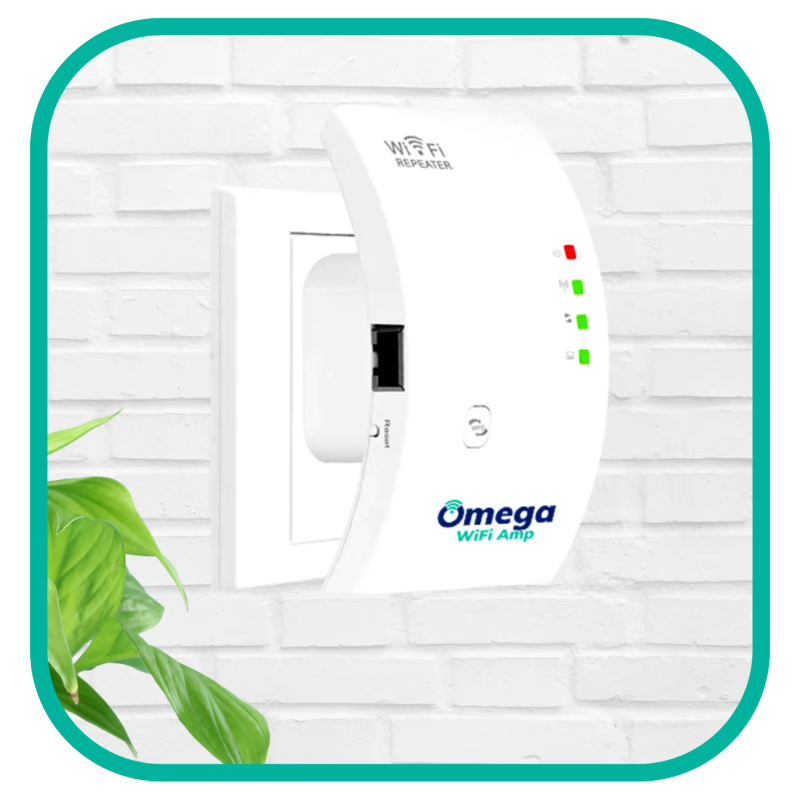
The device works as a standard wireless repeater. To fix internet gaps in a house, the unit plugs right into an electrical outlet halfway between your main router and the dead zone. Once turned on, it grabs the 2.4 GHz frequency from your main hardware. It boosts that exact signal and sends out a newly stretched overlapping network. This lets items like a tablet on a patio keep a strong connection without falling offline.
For most people, the Omega WiFi amp instructions are very simple and take under 10 minutes. Users can link the repeater to their main network using the physical WPS button, if their base router has one. If not, a mobile-friendly web login page gives you an easy way to set it up manually.
Our test results
In real life, this tool successfully pushes basic web access into dark spots. Because it relies only on the lower-frequency band, it moves signals through standard indoor drywall easily. However, thick concrete walls or steel beams will weaken the signal range. Speeds max out at the physical limits of this basic technology. This means your real-world speed depends entirely on your starting internet plan. The hardware easily holds up to 12 devices connected at the same time before the network feels too crowded.
Spec vs reality
| Feature | Manufacturer Claim | Real-World Observation |
|---|---|---|
| Maximum Speed | up to 300 Mbps | Limited by ISP plan; normal network limits greatly reduce actual speeds |
| Signal Reach | Pushes through concrete | Good through basic drywall; dense concrete will lower the signal range |
| Setup Time | Instantly | Takes roughly 5 to 10 minutes using the WPS button or web page |
Comparing alternatives
While this unit is often priced near $49.99, comparing it against big networking brands gives you a good idea of what fits your home best. You might want to check out our best wifi booster guides for more options.
| Product | Key Features | Context |
|---|---|---|
| Omega WiFi Amp | 2.4 GHz band, compact plug-in design | Helpful for basic dead zone fixing with a highly portable setup |
| TP-Link N300 | 2.4 GHz band, up to 300 Mbps | If saving cash is your goal, this gives the same specs from a big brand |
| Netgear EX3700 | Dual-band tech, up to 750 Mbps | If handling heavy 4K streaming is important, this offers faster dual-band speeds |
Specs & materials
Specs
- Frequency Band: 2.4 GHz
- Supported Network Modes: AP (Access Point) and Wireless Repeater
- Encryption Protocols: WPA and WPA2 and WPA-PSK and WPA2-PSK
- Maximum Device Capacity: 12 simultaneous connections
- Configuration Portal: Accessed via 192.168.10.1
- Hardware Interface: Built-in WPS button for quick pairing
Materials
Build and Materials
Based on the specs, the device features a standard light plastic shell commonly found on normal computer accessories. The small rectangle shape is carefully made to take up only one regular electrical plug. This leaves the second wall socket totally open for other home items. It has built-in metal prongs so you can plug it straight into the wall. The company makes specific hardware versions to safely fit outlets in the US, EU, UK, and AU regions.
Omega WiFi Amp alternatives
Comparing options? These category-matched picks are worth a look alongside Omega WiFi Amp.
Full FAQ
Does the extender work with my current router and internet provider?
Yes, it is universally compatible with standard Wi-Fi routers and all major Internet Service Providers. You do not need to purchase a specific brand of networking equipment to use it, and it pairs smoothly with standard wireless devices like laptops, phones, and smart TVs.
How difficult is it to set up the device?
Most users report that setup is quick, typically taking about 5 to 10 minutes. The device features a plug-and-play design that connects to your network using the WPS button on your router or via a simple smartphone web browser interface. Its compact size also ensures you can plug it in without blocking the second socket on your wall outlet.
How many devices can I connect to the boosted network at once?
While some promotional materials suggest there is no limit to connected devices, technical specifications indicate the unit reliably supports up to 12 devices simultaneously. This capacity is typically plenty for an average household's basic web browsing and streaming needs in a targeted area.
Does this booster support 5GHz dual-band networks?
This specific device only operates on the 2.4 GHz band and does not support 5GHz frequencies. While 2.4 GHz is excellent for reaching further distances and passing through obstacles, it has lower maximum speeds than a 5 GHz network. If you rely on heavy 4K streaming or competitive gaming, this single-band limitation is something to know before ordering.
Who is this product best suited for?
This extender is a practical, budget-friendly option for non-tech-savvy users looking to get basic Wi-Fi coverage into a specific dead zone like a spare bedroom or patio. If you have a high-speed fiber connection, require top-tier performance for heavy bandwidth tasks, or already own a modern mesh network, this device may not offer the advanced capabilities you need.
Is the Omega WiFi Amp legit, and does it actually work?
It is a real, functioning Wi-Fi repeater that successfully helps many users eliminate dead zones in places like basements and garages. However, some marketing claims can be exaggerated, as it cannot magically speed up an inherently slow internet connection. Understanding its capabilities as a standard 2.4 GHz range extender can help ensure it meets your expectations.
What is the return policy if I am not satisfied?
The company offers a 30-day money-back guarantee from the date of delivery if the device doesn't resolve your coverage issues. However, it is important to note that original shipping charges are non-refundable, and buyers are responsible for covering all return shipping costs. You will need to contact their email support to receive an RMA number before sending the unit back.
Are there any monthly subscription fees to use this?
There are no recurring monthly fees or hidden subscriptions required to use the Omega WiFi Amp. It is a one-time purchase that simply piggybacks on the internet connection you are already paying your provider for.
Will the Omega WiFi Amp increase my main internet speed?
No, this device will not make your internet plan faster than what you currently pay your provider for. It works by extending your existing router's signal into dead zones, giving you better coverage and stability. This helps eliminate buffering in rooms that are far away from your main router.
Will the signal successfully go through thick concrete or steel walls?
While the brand states the device can broadcast through dense materials, real-world physics mean that thick concrete or steel will naturally degrade any wireless signal. A number of customers mention that while it easily bypasses standard walls and floors, dense architectural obstacles may still cause signal drops. For the best results, place the unit halfway between your router and the target room.
Showing 10 questions (8 featured, 2 additional)
Verdict
This unit is worth a look for casual internet users and families who need to push a basic signal into tricky dead zones like basements or patios.
It gives you a simple way to extend coverage without messing with confusing router settings. However, households relying on fiber connections for heavy 4K streaming or competitive gaming should pass.
In the end, this is a helpful tool for standard web browsing and email at an advertised $49.99 price point. Just remember that it stretches your current network rather than speeding up your base internet plan, and returns will cost you out-of-pocket shipping fees.
Method & notes
We evaluate each product with hands-on testing when possible, plus verified buyer reviews and maker interviews. Offers and stock levels update daily. If you purchase through our links, we may earn a commission at no extra cost to you. That support helps us keep guides current.